## Table of contents
- [Preview](#-preview)
- [Quick start](#-quick-start)
- [What's included](#-whats-included)
- [Frameworks](#-frameworks)
- [Ecosystem](#-ecosystem)
- [Documentation](#-documentation)
- [Browser support](#-browser-support)
- [Contributing](#-contributing)
- [Sponsors](#-sponsors)
- [Creators](#-creators)
- [Contributors](#-contributors)
- [License](#-license)
## 🔎 Preview
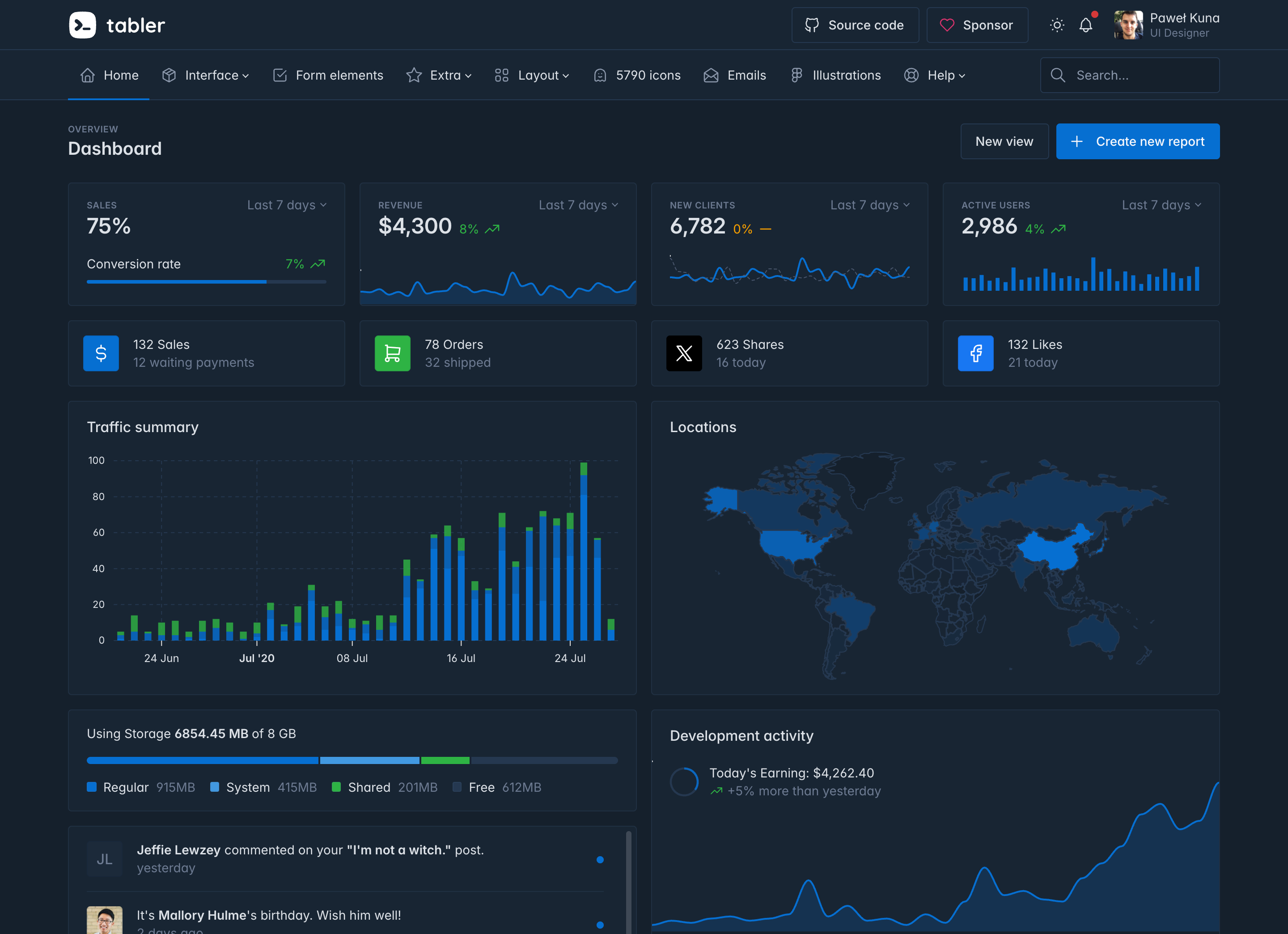
Tabler is a set of ready-made layouts, components and demo pages for admin panels, dashboards and web apps. Every component is built on Bootstrap 5, works in light and dark mode, and can be customized with Sass or CSS custom properties.
- Bootstrap 5 ships inside the package, so you only need one CSS file and one JS file.
- There are more than 120 demo pages in the [live demo](https://preview.tabler.io): dashboards, forms, tables, auth screens, error pages, marketing layouts and more.
- Every component has a dark color scheme, and every stylesheet ships in an RTL version.
- [Tabler Icons](https://tabler.io/icons) gives you over 6,000 icons, drawn on a 24×24 grid to match the UI kit.
- More than 20 plugins are bundled in `dist/libs`: charts, date pickers, selects, sliders, editors, drag and drop and other libraries.
- The Sass sources and TypeScript types are included, so you can customize the theme with `@use … with ()` and use typed JavaScript components.
## 🚀 Quick start
Load Tabler from the CDN and start building:
```html
Tabler demo
Hello, Tabler!
```
Or install the package with npm or your preferred JavaScript package manager:
```sh
npm install @tabler/core
```
Then import the styles and scripts in your entry file:
```js
import '@tabler/core/dist/css/tabler.min.css'
import '@tabler/core/dist/js/tabler.min.js'
```
You can also [download the latest release](https://github.com/tabler/tabler/releases) as a ZIP archive. If you'd rather try Tabler without installing anything, open the [tabler-starter](https://github.com/tabler/tabler-starter) template on [StackBlitz](https://stackblitz.com/github/tabler/tabler-starter), [CodeSandbox](https://codesandbox.io/s/github/tabler/tabler-starter) or [GitHub Codespaces](https://codespaces.new/tabler/tabler-starter).
See the [installation guide](https://docs.tabler.io/ui/getting-started/installation/) for more options.
## 📦 What's included
The `@tabler/core` package contains compiled and minified CSS and JavaScript, the Sass and TypeScript sources, and the third-party plugins used by the demo pages:
```text
@tabler/core/
├── dist/
│ ├── css/ tabler.css and the optional stylesheets (flags, marketing, payments, socials,
│ │ themes, vendors), each with .min and .rtl versions
│ ├── js/ tabler.js and tabler.esm.js, plus the standalone tabler-theme.js
│ ├── libs/ bundled plugins: ApexCharts, Tom Select, Litepicker, FullCalendar and others
│ ├── types/ TypeScript declarations
│ ├── fonts/
│ └── img/
├── scss/ Sass sources
└── js/ TypeScript sources
```
The stylesheets are split so that you load only what you use. `tabler.css` is enough for most projects. The other files add country flags, payment provider logos, social icons, marketing layouts or alternative gray palettes.
## 🧩 Frameworks
Tabler is plain HTML and CSS, so it works with any framework. The documentation has a setup guide for each of these:
[React](https://docs.tabler.io/ui/getting-started/frameworks/react/) · [Vue](https://docs.tabler.io/ui/getting-started/frameworks/vue/) · [Angular](https://docs.tabler.io/ui/getting-started/frameworks/angular/) · [Next.js](https://docs.tabler.io/ui/getting-started/frameworks/nextjs/) ·
[Nuxt](https://docs.tabler.io/ui/getting-started/frameworks/nuxt/) · [SvelteKit](https://docs.tabler.io/ui/getting-started/frameworks/sveltekit/) · [Astro](https://docs.tabler.io/ui/getting-started/frameworks/astro/) · [Laravel](https://docs.tabler.io/ui/getting-started/frameworks/laravel/) ·
[Django](https://docs.tabler.io/ui/getting-started/frameworks/django/) · [Rails](https://docs.tabler.io/ui/getting-started/frameworks/rails/) · [Symfony](https://docs.tabler.io/ui/getting-started/frameworks/symfony/)
## 🌍 Ecosystem
Tabler isn't only the UI kit. A few other projects share the same look and feel:
| Project | What it is |
| ---------------------------------------------------------------------- | ---------------------------------------------------------------------------------------- |
| [Tabler Icons](https://github.com/tabler/tabler-icons) | Over 6,000 free MIT-licensed SVG icons, with packages for React, Vue, Svelte and Angular |
| [Tabler Illustrations](https://tabler.io/illustrations) | Customizable SVG illustrations in light and dark variants |
| [Tabler Emails](https://tabler.io/emails) | Responsive HTML email templates tested in more than 90 clients |
| [Tabler Avatars](https://tabler.io/avatars) | Avatar illustrations for user profiles and placeholders |
| [Tabler Flags](https://github.com/tabler/tabler-flags) | Over 250 optimized SVG country flags, shipped in `tabler-flags.css` |
| [Tabler Payments](https://docs.tabler.io/payments/) | Payment provider logos in light and dark versions, shipped in `tabler-payments.css` |
| [tabler-starter](https://github.com/tabler/tabler-starter) | Minimal starter template, ready to open in StackBlitz, CodeSandbox or Codespaces |
| [Tabler Icons for Figma](https://github.com/tabler/tabler-icons-figma) | Figma plugin for inserting Tabler Icons into your designs |
## 📖 Documentation
The full documentation is at [docs.tabler.io](https://docs.tabler.io/). It covers installation, customization, color modes, RTL, every component and plugin, and the [frequently asked questions](https://docs.tabler.io/ui/getting-started/faq/).
To see what changed in each release, check the [changelog](core/CHANGELOG.md) and the [GitHub releases](https://github.com/tabler/tabler/releases). Updating from an older version? Read the [upgrade guide](https://docs.tabler.io/ui/getting-started/upgrade/) first. It lists every breaking change with a before-and-after example.
Tabler follows [Semantic Versioning](https://semver.org/). Breaking changes only land in major releases, and every release comes with a changelog generated from changesets.
## 🌐 Browser support
Tabler works in any current browser. The minimum versions below come from the CSS features it uses without a fallback: `light-dark()`, `color-mix()`, `:has()` and `@property`.
| Browser | Minimum version |
| ---------------- | --------------- |
| Chrome, Edge | 123 |
| Firefox | 128 |
| Safari | 17.5 |
| Opera | 109 |
| iOS Safari | 17.5 |
| Samsung Internet | 27 |
See the [browser support page](https://docs.tabler.io/ui/getting-started/browser-support/) for details.
## 🤝 Contributing
We welcome contributions of all kinds. The [contributing guide](CONTRIBUTING.md) explains how to run the project locally (with Node.js and pnpm, Docker, or [GitHub Codespaces](https://codespaces.new/tabler/tabler)), where things live in the repository, and what a pull request needs. By participating, you agree to follow our [Code of Conduct](.github/CODE_OF_CONDUCT.md).
The short version:
```sh
git clone https://github.com/tabler/tabler.git
cd tabler
pnpm install
pnpm run dev
```
This starts the preview at [http://localhost:3000](http://localhost:3000) and the documentation at [http://localhost:3010](http://localhost:3010), both with live reload.
- Found a bug? [Open a bug report](https://github.com/tabler/tabler/issues/new?template=bug_report.yml).
- Have an idea? [Open a feature request](https://github.com/tabler/tabler/issues/new?template=feature_request.yml) or start a [discussion](https://github.com/tabler/tabler/discussions).
- Found a security issue? Please report it privately, see our [security policy](SECURITY.md).
## 💛 Sponsors
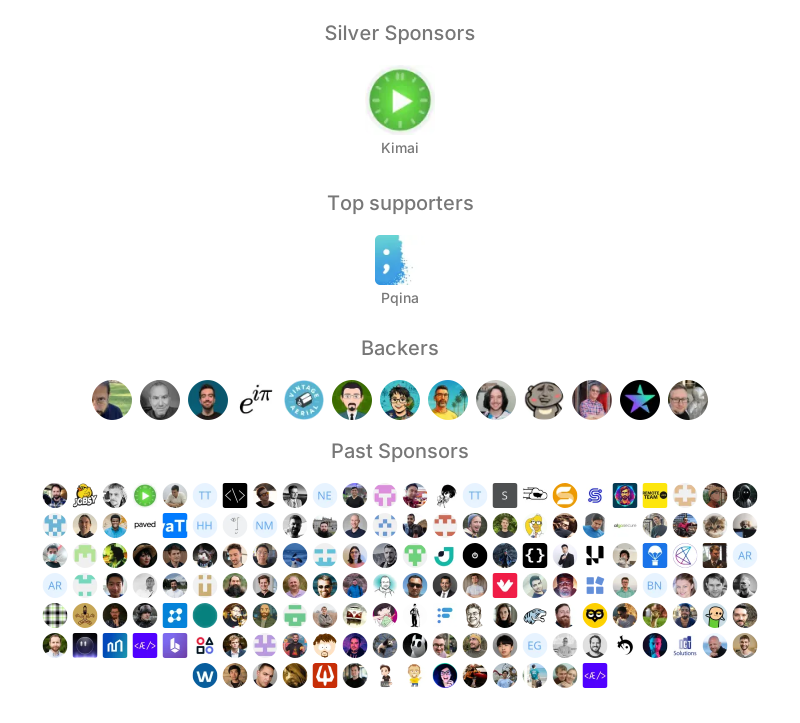
Tabler is free to use, and its development is funded by sponsors. If it saves you time, consider [becoming a sponsor on GitHub](https://github.com/sponsors/codecalm) or [donating on PayPal](https://paypal.me/codecalm).
## 🤓 Creators
- Paweł Kuna · [@codecalm](https://github.com/codecalm) · [codecalm.net](https://codecalm.net)
- Bartłomiej Gawęda · [@BG-Software-BG](https://github.com/BG-Software-BG)
- Bartosz Dobija · [@Bartosz-Do](https://github.com/Bartosz-Do)
Follow Tabler on [X](https://x.com/tabler_io) and [Facebook](https://www.facebook.com/tabler.io) for updates.
## 👨🚀 Contributors
This project exists thanks to all the people who contribute.
## 📄 License
Tabler is licensed under the [MIT License](LICENSE).
Third-party libraries shipped in `dist/libs` keep their own licenses. One of them deserves a closer look. ApexCharts hasn't been MIT since version 5. It's dual-licensed now. Organizations under $2M in annual revenue can use it for free under the Community license, and anyone above that threshold pays. Redistribution needs a separate OEM license. Check the [ApexCharts license options](https://apexcharts.com/license/) before you ship charts in a commercial product.





 ## 📄 License
Tabler is licensed under the [MIT License](LICENSE).
Third-party libraries shipped in `dist/libs` keep their own licenses. One of them deserves a closer look. ApexCharts hasn't been MIT since version 5. It's dual-licensed now. Organizations under $2M in annual revenue can use it for free under the Community license, and anyone above that threshold pays. Redistribution needs a separate OEM license. Check the [ApexCharts license options](https://apexcharts.com/license/) before you ship charts in a commercial product.
## 📄 License
Tabler is licensed under the [MIT License](LICENSE).
Third-party libraries shipped in `dist/libs` keep their own licenses. One of them deserves a closer look. ApexCharts hasn't been MIT since version 5. It's dual-licensed now. Organizations under $2M in annual revenue can use it for free under the Community license, and anyone above that threshold pays. Redistribution needs a separate OEM license. Check the [ApexCharts license options](https://apexcharts.com/license/) before you ship charts in a commercial product.